
Choose the Right ERP with Confidence
A complete guide to evaluating ERP systems, avoiding costly mistakes, and selecting a solution that supports your long-term growth.

Proven by Businesses Who Demand More From Their ERP
Supporting organizations across manufacturing, distribution, consumer brands, and specialty retail.




Explore the guide Readiness Modern ERP Comparison Pricing Vendors AI Implementation Resources FAQs
Make the decision around your business—not the software demo
Selecting an ERP system is one of the most important technology decisions your organization will make. The right solution can streamline operations, improve financial accuracy, and support long-term scalability. The wrong one can create delays, rework, unexpected costs, and frustrated teams.
This ERP Selection Hub breaks down requirements planning, demos, pricing, AI evaluation, vendor selection, and implementation readiness so you can choose a solution that fits the way your organization needs to operate.
For a guided process, explore goVirtualOffice’s ERP evaluation services and its proven approach to matching systems with business requirements.
Start Here: Define the outcome before the product
- Agree on the business problems the ERP must solve
- Identify the processes that cannot remain manual
- Set measurable goals for reporting, efficiency, and growth
- Assign decision owners before vendor demonstrations begin
Signs You’re Ready for a New ERP
The need for a new ERP normally appears as a series of operational limitations rather than one isolated software problem.
01
Entry-level tools are limiting growth
02
Spreadsheets connect the business
03
Reporting takes too long
04
Core data is disconnected
05
Expansion requires stronger processes
06
Teams need better intelligence
Still deciding whether the timing is right? Review the seven signs you have outgrown QuickBooks.
What to Look for in a Modern ERP
A modern ERP should provide a reliable operational foundation today while giving the business room to automate, integrate, and scale.
Core Features
Financials and accounting Inventory management Project management Subscription management Reporting and dashboards CRM and customer lifecycle Mobile access Workflow automation
AI + Automation Features
Predictive analytics Forecasting AI-assisted reporting Automated task routing Financial anomaly detection Intelligent recommendations
Scalability Considerations
- Can the platform support growth without major rework?
- Can it adapt to unique processes without becoming difficult to maintain?
- Are integrations, reporting, roles, and entities easy to extend?
The strongest ERP is the one that best supports your requirements—not the one with the longest feature list.
Compare ERP Systems Against the Same Business Criteria
Use one consistent framework to compare NetSuite, Acumatica, and other realistic options. Avoid letting each vendor control the criteria through its demonstration.
Industry fit
■■■■□
■■■■■
Customization options
■■■■□
■■■□□
AI capabilities
■■■■■
■■■■□
Integration flexibility
■■■■□
■■■■■
Total cost of ownership
■■■□□
■■■■□
Implementation readiness
■■■■□
■■■□□
The 4-Step Checklist: Turn requirements into a defendable decision
- Create one requirements list agreed upon by every stakeholder group.
- Rank features as must-have, important, or nice-to-have.
- Score each ERP using the same evidence and weighting.
- Connect the final recommendation to measurable business goals.
Understand the Full Cost—Not Just the License
ERP pricing varies based on modules, users, business complexity, integrations, data migration, and the implementation approach. Compare vendors using the same cost horizon and assumptions.
Software
Licensing, subscriptions, modules, and user access.
Implementation
Discovery, configuration, project management, and testing.
Integrations
Connections to CRM, commerce, payroll, banking, and other systems.
Enablement
Training, documentation, onboarding, and change management.
Ongoing Support
Administration, optimization, upgrades, and future improvements.
Pro tip: Compare the three-to-five-year total cost of ownership. A lower first-year price can be misleading if the system requires expensive workarounds, additional applications, or repeated reimplementation.
Need help establishing realistic assumptions before requesting proposals?
Evaluate the Team Behind the ERP
The implementation partner, project method, and post-go-live support model can be as important as the software itself.
Questions to Ask
- How many implementations has your team completed in our industry?
- What is your project methodology and how are decisions documented?
- What is included after go-live?
- How do you manage integrations, data migration, and testing?
- How do you incorporate AI and automation into the roadmap?
Red Flags
- No documented implementation process
- Limited relevant industry experience
- Pricing assumptions that are difficult to verify
- Inflexible or unrealistic timelines
- Unclear ownership after the system goes live
Review goVirtualOffice’s proven ERP process and implementation services when comparing partner approaches.
Evaluate AI as a Business Capability—not a Marketing Label
AI has become a meaningful differentiator in ERP selection. The right capabilities can identify trends before they affect financial performance, recommend workflow actions, automate repetitive work, and improve forecasting accuracy.
However, AI should be evaluated against defined use cases, data readiness, governance, explainability, and the capabilities available today—not only what appears on a roadmap.
Available today or planned?
Separate production features from future promises.
Native or add-on?
Understand licensing, integration, and data implications.
Grounded in your data?
Confirm how business context improves the output.
Governed and explainable?
Review roles, permissions, traceability, and approval controls.
See NetSuite + AI in Action
Proven ROI: Efficiency Gains Across Every Industry
90 hours → 2.5 hours
30 minutes → 30 seconds per job
15–20 hrs/week → ~2 hrs/week
8 hrs/day → 1 hr/day
Prepare Before the Project Officially Begins
A successful ERP project begins before configuration. The selection process should leave the organization with clear goals, owners, data priorities, and implementation expectations.
Pre-Implementation Checklist
- Define goals and measurable KPIs
- Clean and classify existing data
- Identify internal project champions
- Map priority workflows and exceptions
- Schedule change management and training
What to Expect During Implementation
Requirements
Confirm scope and decisions
Configuration
Build approved processes
Integrations
Connect business systems
Training
Prepare role-based users
Testing
Validate scenarios and data
Go-Live
Transition into support
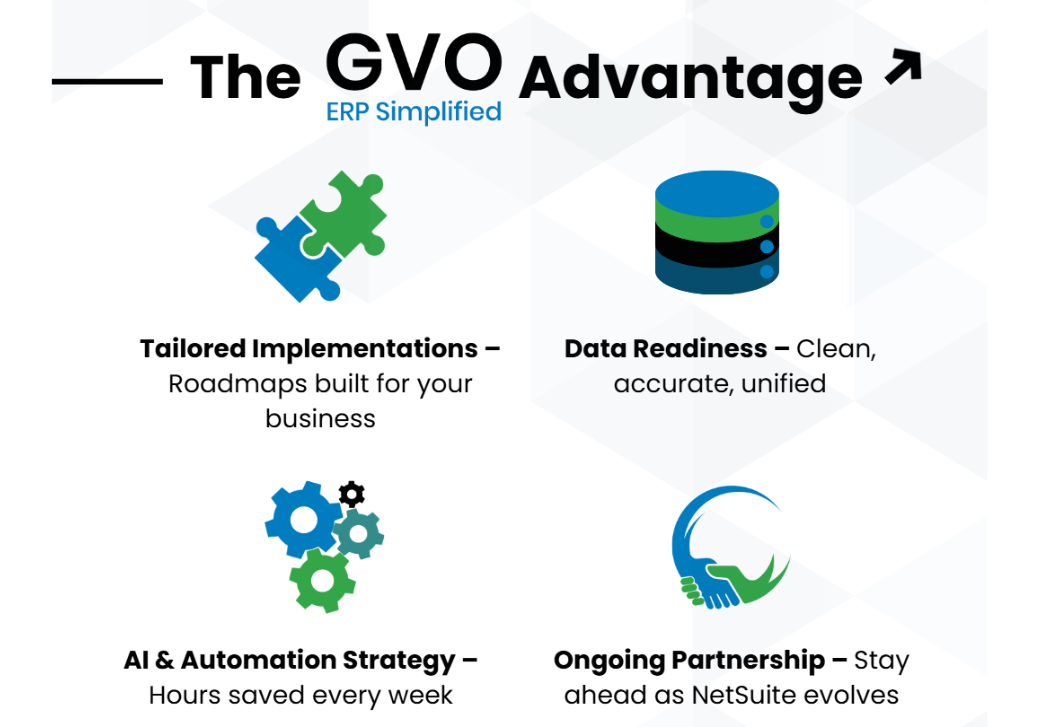
Turn your selection decisions into an implementation roadmap with clear ownership and realistic milestones.
Keep Your ERP Selection Moving
Use these resources to build requirements, prepare stakeholders, compare platforms, and understand what comes next.
ERP Comparison Matrix
Use the framework on this page to score shortlisted platforms.
QuickBooks vs. ERP Readiness
Identify the signs that entry-level software is holding the business back.
NetSuite Next Features
Explore conversational assistance, agents, workflows, and modern ERP AI.
Acumatica Overview
Review the cloud ERP interface, mobility, and operational capabilities.
ERP Learning Library
Explore ERP evaluation, implementation, AI, and operational topics.
ERP Selection FAQs
Clear answers to the questions teams commonly ask before choosing an ERP platform or implementation partner.
Common signs include relying on spreadsheets to connect departments, slow or inconsistent reporting, disconnected inventory or billing systems, difficulty scaling existing processes, and limitations in tools such as QuickBooks. Readiness is strongest when leadership agrees on the business problems the new ERP must solve.
Document the processes the ERP must support, required financial and operational capabilities, integrations, reporting needs, security and compliance requirements, user roles, scalability expectations, and measurable business outcomes. Separate must-have requirements from preferences.
Most organizations benefit from narrowing the market to two or three realistic options. A focused shortlist allows the team to evaluate fit in greater depth rather than comparing a large number of systems superficially.
Compare the platforms against your own requirements, industry processes, licensing model, integration needs, customization expectations, implementation resources, reporting requirements, and long-term growth plan. The best option depends on business fit rather than a universal feature ranking.
ERP cost normally includes software licensing or subscriptions, implementation, configuration, integrations, data migration, training, change management, support, and future optimization. Evaluate the three-to-five-year total cost of ownership rather than only the first-year price.
The timeline depends on business complexity, data quality, number of entities, integrations, custom processes, decision speed, and internal availability. Selection may take several weeks or months, while implementation commonly takes several additional months.
AI can improve forecasting, reporting, anomaly detection, recommendations, and workflow automation, but it should not outweigh core business fit. Evaluate which AI capabilities are available today, how they use your data, what controls are provided, and whether the features support real use cases.
Define project goals and KPIs, establish governance, confirm executive sponsorship, identify internal champions, clean and map data, document priority workflows, confirm integrations, assign decision owners, and prepare a change-management and training plan.
Ready to Choose the Right ERP with Confidence?
Our experts can guide you through requirements, platform evaluation, vendor selection, and implementation planning.